



Azure Gateway Dashboard
1.0
 Miscelaneus » azure_gateway_dashboard
Last update: 2026-10-06 12:08:47

Description
The Azure Gateway Dashboard is a Pandora FMS console extension that presents the state of the Azure Application Gateway resources monitored by the Azure Application Gateway Discovery plugin in a single view. It aggregates the gateways, their connections, requests, errors, latency, backend health, WAF and capacity figures into key numbers, tables and status charts. It reads the agents and modules already created in the console and does not collect data on its own.
Images
Additional information
The extension adds a dashboard to the Pandora FMS console status menu, available to users with agent read permission. It detects every Azure Application Gateway agent present in the console and reads the latest values and states of its modules, so the information matches the data collected by the Azure Application Gateway Discovery plugin.
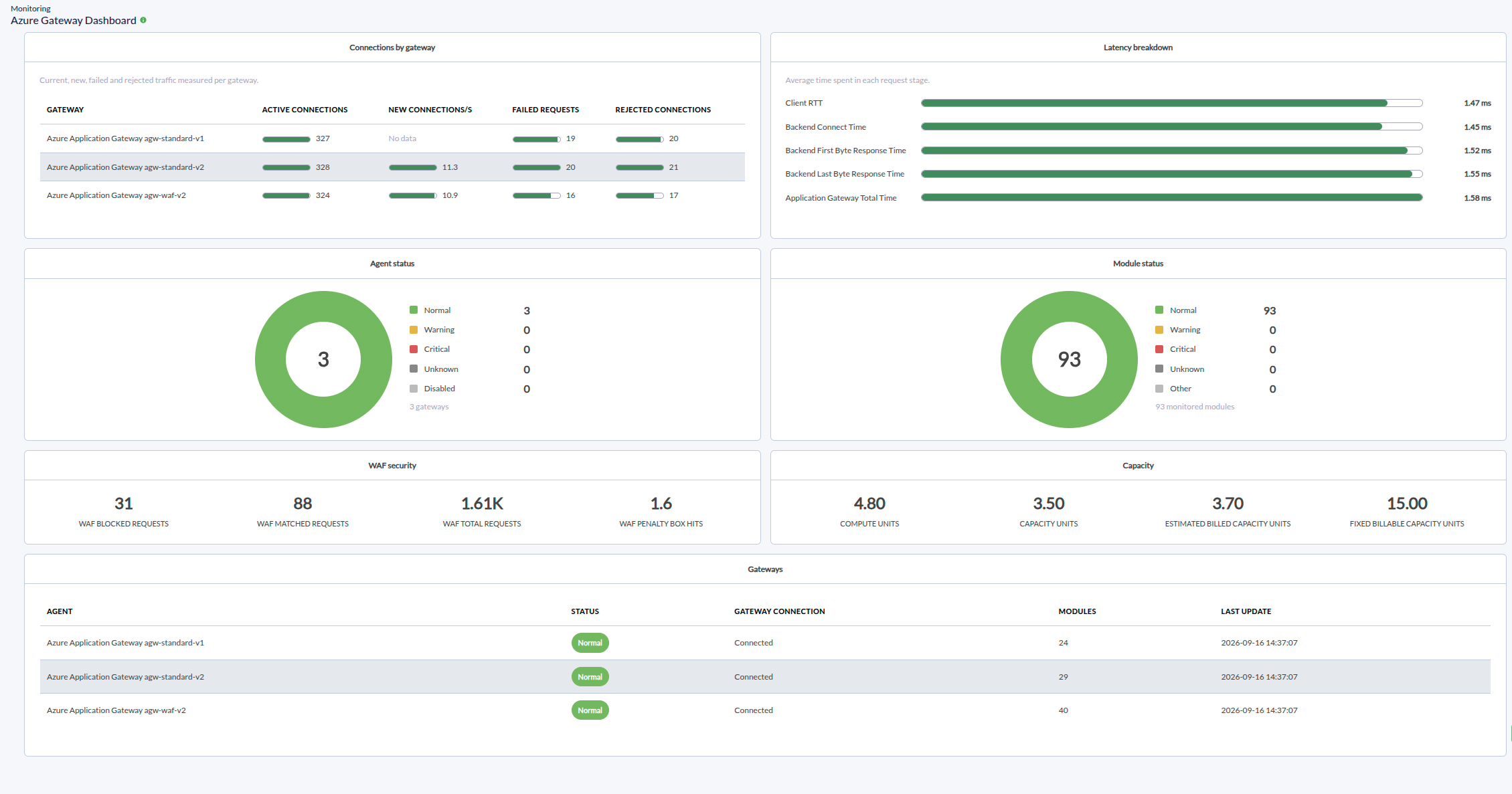
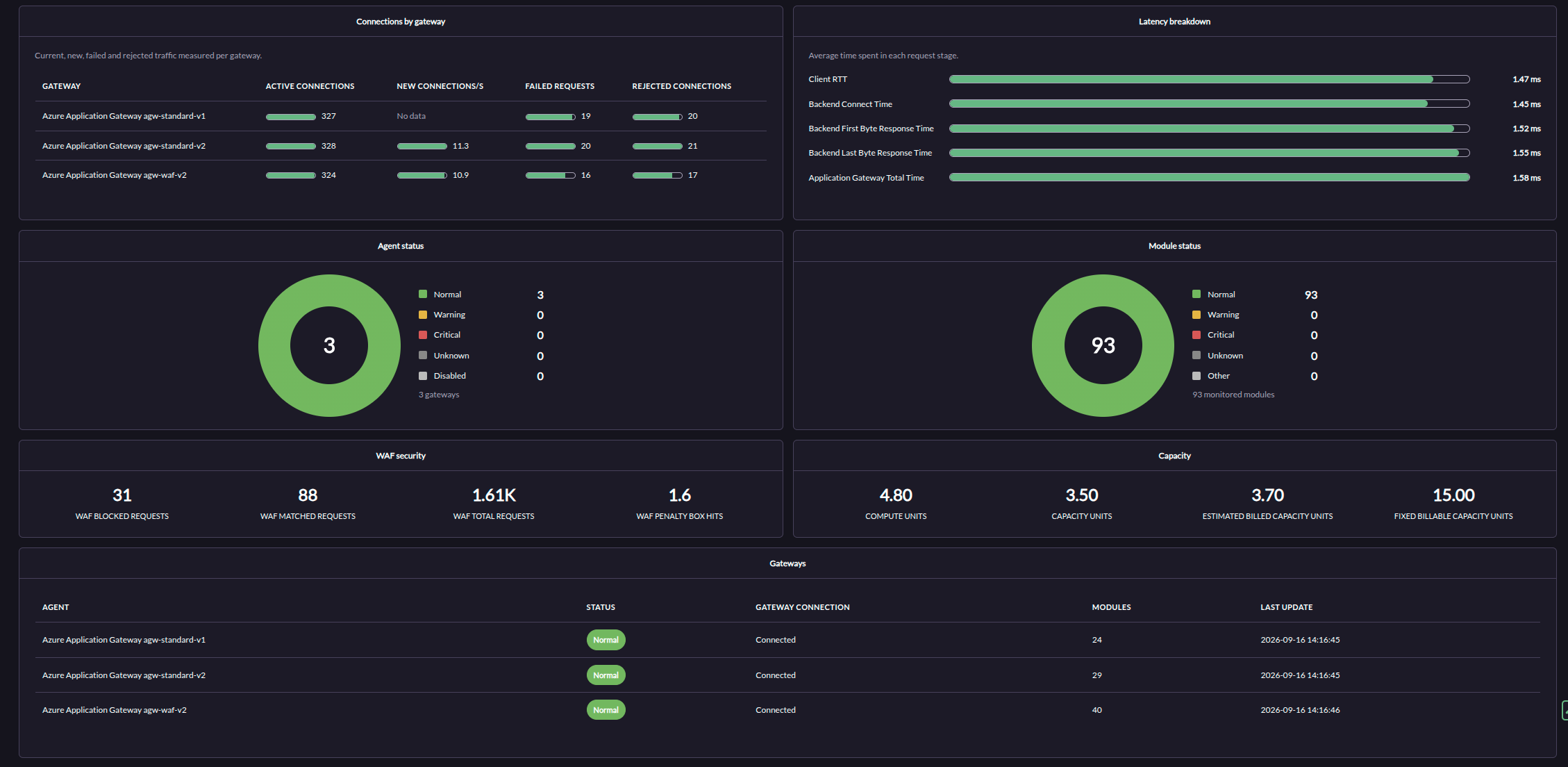
The dashboard is organised into panels. Key figures summarise connections, requests and errors, performance and backend health. A traffic chart plots received and sent bytes over a selectable period, and a connections table compares the current, new, failed and rejected traffic of each gateway. A latency panel breaks down the average time spent in each request stage, and two status charts show the health of the monitored agents and modules.
A gateways table lists each agent with its status, gateway connection, number of modules and last update time, and a filter narrows the whole dashboard to one gateway and one traffic period. WAF security and capacity figures appear only when the monitored gateways expose those metrics, so a deployment without WAF or without v2 SKUs simply shows fewer panels.
The dashboard formats byte, time and percentage values, treats unknown module states as no data, and adapts to the light and dark console themes. It does not create agents or modules, does not query Microsoft Azure and does not change the monitoring configuration; it only presents data already collected in the console.
What it allows you to do
- See the state of every monitored Azure Application Gateway in a single console view.
- Review connections, requests, errors and WAF blocks at a glance.
- Compare received and sent traffic per gateway over a selected period.
- Break down request latency by stage and check backend host health.
- Filter the dashboard by gateway and period, and follow agent and module status.
What it monitors
- Gateway reachability and agent status
- Active, new, failed and rejected connections
- Total and failed requests, and the failed request rate
- WAF blocked, matched and total requests
- Throughput, CPU utilisation and traffic bytes
- Request latency by stage and client round-trip time
- Backend host health and backend TLS errors
- Capacity units and estimated billed capacity
How it works
The extension adds an Azure Gateway Dashboard entry to the Pandora FMS console status menu. When it is opened, it detects the Azure Application Gateway agents present in the console and reads the latest values and states of their modules from the console database. The values are aggregated into key figures, tables and status charts, and the byte, time and percentage figures are formatted for reading. A filter narrows the view to one gateway and one traffic period. Panels that depend on WAF or capacity metrics are shown only when those modules exist, and unknown or missing values are displayed as no data. The extension does not collect data; it presents what the monitoring already stores.
Benefits
- Gateway state and performance become visible in one console view instead of across individual agents.
- Operators can compare connection, request, latency and backend health figures across gateways without building a report.
- WAF blocks and capacity figures are surfaced when present, without extra configuration.
- The dashboard follows the console theme and permissions, so it needs no separate access control or deployment.
Use cases
- Network and cloud operations teams that watch the health and traffic of Azure Application Gateway resources.
- Teams that need one view of latency, failed requests and backend health after an incident.
- Environments with WAF or v2 gateways that want security and capacity figures alongside traffic.
Requirements
- A Pandora FMS console where the extension is installed.
- The Azure Application Gateway Discovery plugin installed and a Discovery task that has created the gateway agents and modules.
- Agent read permission on the console for the user who opens the dashboard.
- No additional runtime; the extension runs inside the console.
Compatibility
Extension version 1.0. Runs inside the Pandora FMS console and presents the data collected by the Azure Application Gateway Discovery plugin. Compatible with Pandora FMS NG 784 and later, according to the Marketplace compatibility statement.
Limitations
- The dashboard only presents data already collected by the Azure Application Gateway Discovery plugin; it does not query Microsoft Azure or collect metrics itself.
- WAF figures appear only when the monitored gateways expose WAF metrics, and capacity figures only when they expose v2 capacity metrics.
- Modules in an unknown state are treated as no data, so their value is not aggregated.
- Agent detection relies on the gateway agent naming and on module names or descriptions; gateways monitored with different names may not be listed.
- The traffic chart depends on the console historical graph functions and reports no historical data when they are unavailable.
- The extension does not create agents or modules and does not change the monitoring configuration.
Tags
Categories
×
![]()
From this entry
Newest related to this entry
Newest from same author
Newest in same categories
Newest with same tags
