




Pandorafms AI summary
1.2
 Extension » ext-ai-summary
Last update: 2026-09-07 09:15:21

Description
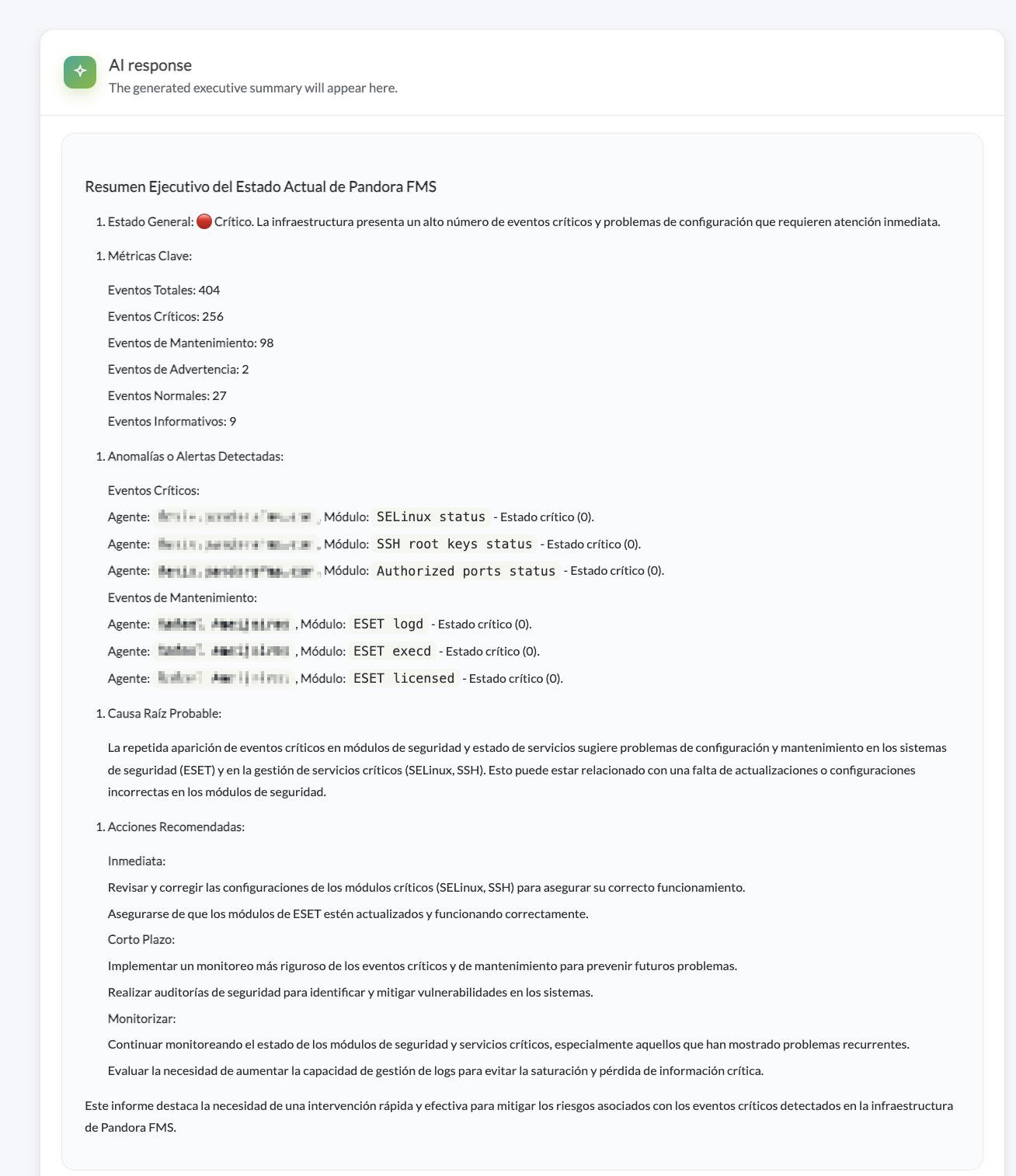
Pandora AI Summary adds an AI interpretation layer on top of the data already collected by Pandora FMS. It analyzes event filters, reports, and services to generate clear, actionable executive summaries, featuring a complete preview of the information before sending it to OpenAI or DeepSeek.
Images
Additional information
Pandora AI Summary is an extension for the Pandora FMS console that transforms operational information into an AI-generated executive summary.
It works on top of existing elements in your console — event filters, reports, and services — to help you move from signal to operational context: what is happening, what is top priority, and which action should be reviewed first.
Before sending any information to the AI provider, the extension displays a preview of the data to be shared. This allows you to review the context, control the volume sent to the model, and maintain full visibility over the information used to generate the summary.
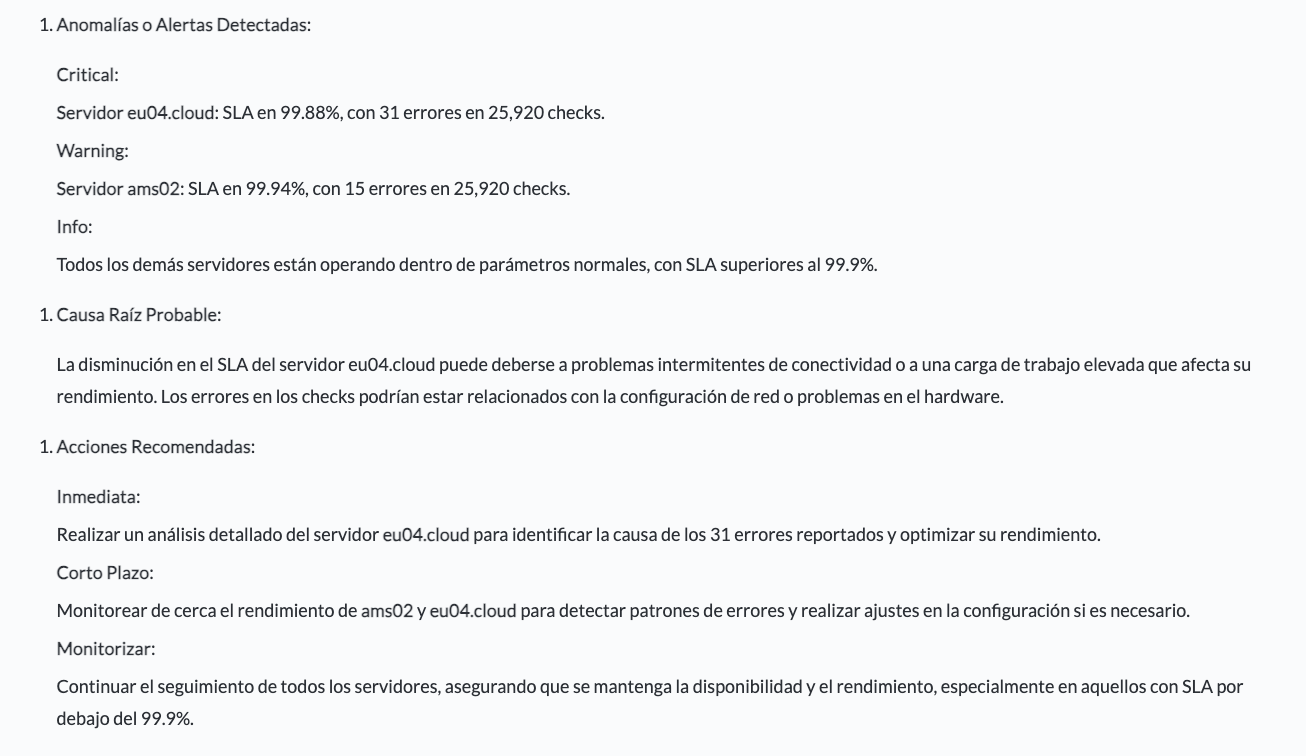
The result is a structured overview of your infrastructure's status, including relevant metrics, alerts ordered by severity, anomalies, root-cause hypotheses, and recommended actions.
AI Summary helps NOC teams, IT operations, support, infrastructure leads, and IT management reduce analysis time, prioritize incidents, and better communicate the status of systems.
What it allows you to do:
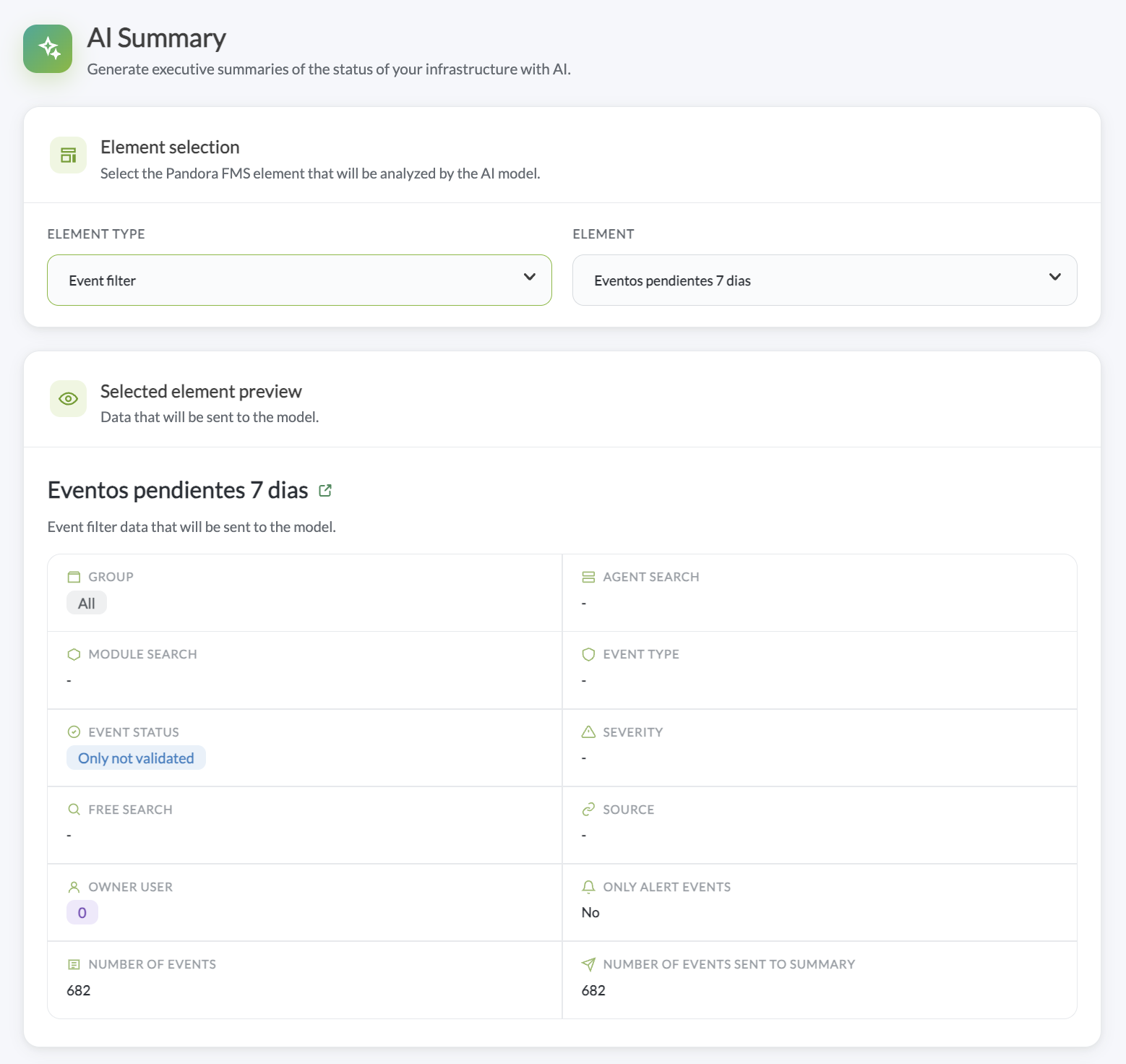
- Analyze event filters: Summarizes alerts and anomalies captured by a specific filter, ordered by operational relevance.
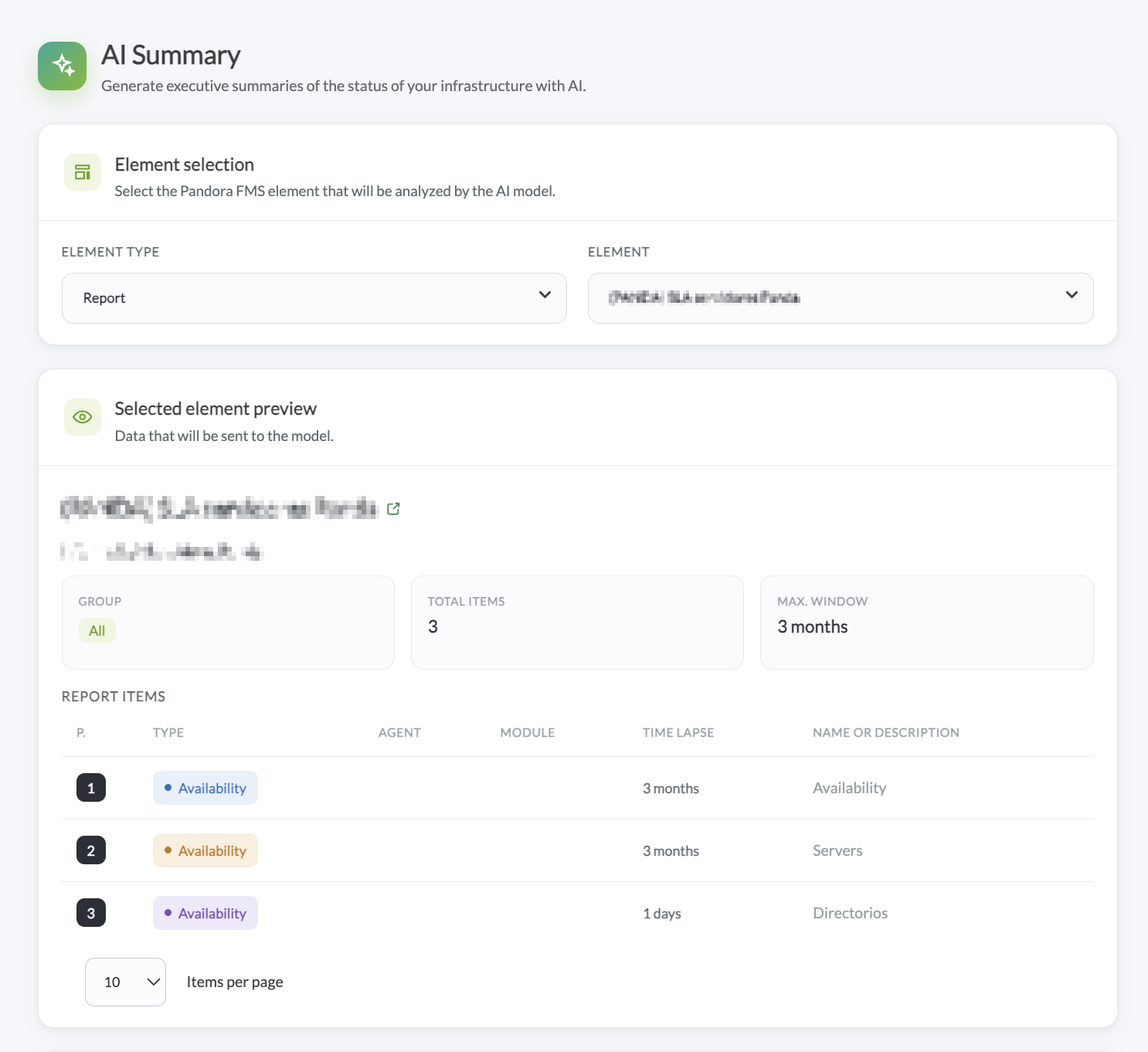
- Analyze Pandora FMS reports: Converts technical metrics and indicators into a clear executive summary.
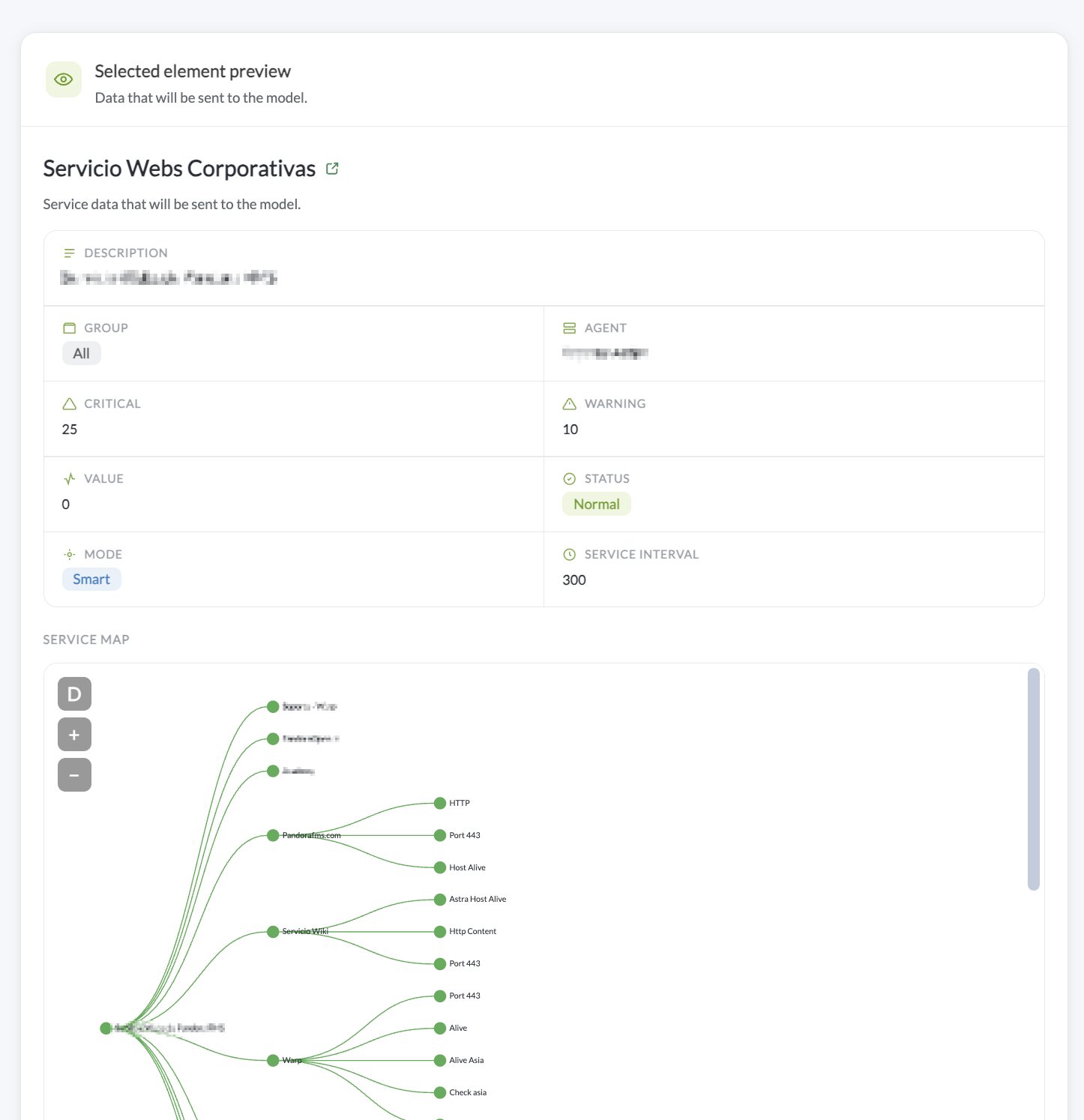
- Analyze business services: Summarizes status, SLA, and related events to understand operational impact and priority.
- Preview data before sending: Displays the exact context that will be shared with the AI provider, with pagination if the volume is large.
- Generate structured summaries: Includes overall status, key metrics, alerts by severity, root-cause hypotheses, and prioritized actions.
- Configure AI behavior: Choose between OpenAI and DeepSeek, and adjust the API Key, model, temperature, timeout, event limit, and an editable system prompt.
Main Benefits:
- Reduces manual analysis of events, reports, and services.
- Translates technical data into a readable format for IT management and non-technical profiles.
- Prioritizes based on real data from Pandora FMS.
- Provides operational context on the information already collected by the platform.
- Keeps you in control: nothing is sent to the model without prior review.
- Adapts to each organization through a choice of AI provider, customizable model settings, prompts, and context limits.
Use Cases:
- Daily infrastructure status summary.
- Quick interpretation of critical events in the NOC.
- Executive reading of technical reports for management.
- Review of business services and SLAs.
- Preparation of recurring reports.
- Support for technical teams in incident investigation.
- Communicating operational status to non-technical stakeholders.
Requirements:
- Compatible Pandora FMS console.
- Your own API Key for the selected provider (OpenAI or DeepSeek).
- Access to the event filters, reports, or services you wish to analyze.
- Configuration of model, timeout, temperature, event limit, and prompt based on your needs.
- Active connectivity from the console to the selected AI provider.
Transparency Notes:
- Data is always previewed before being sent to the model.
- The system prompt and model configuration are editable by the user.
- OpenAI and DeepSeek are third-party providers: usage requires your own API Key and may incur costs depending on the provider, model, and vol
- The quality of the summary depends on the data available in the selected source.
- Root-cause hypotheses are indicative: they serve as a starting point for technical investigation and should be reviewed by the responsible t
Tags
Categories
×
![]()
Newest from same author
Newest in same categories
Newest with same tags

