




Playwright
1.0
 Discovery » pandorafms.playwright.1
Last update: 2026-09-16 08:37:34

Description
Playwright is a Pandora FMS Discovery plugin for synthetic web monitoring. You provide one standard Playwright test and the plugin runs it inside a preconfigured Docker container, either on the Discovery server itself or on a remote host reached over SSH. Every test becomes a monitored transaction with overall status and response time, one phase per step, custom metrics and a failure screenshot, all published in the console WUX transactional view alongside the rest of the monitoring.
Images
Additional information
Playwright brings browser based transactional monitoring to Pandora FMS without a proprietary scripting layer. The transaction is a normal Playwright test written in TypeScript, so it can be produced with the standard Playwright recording tools and maintained by the same people who already write the application tests. There is no library to import and no domain specific language to learn.
A Discovery task holds the test and its execution options: the browser, the viewport size, the overall test timeout and, optionally, per step timeouts. Execution always happens inside a preconfigured container image that already ships the browsers, either on the Discovery server or on a remote host reached over SSH, which allows a transaction to be launched from the network location that matches the user it represents.
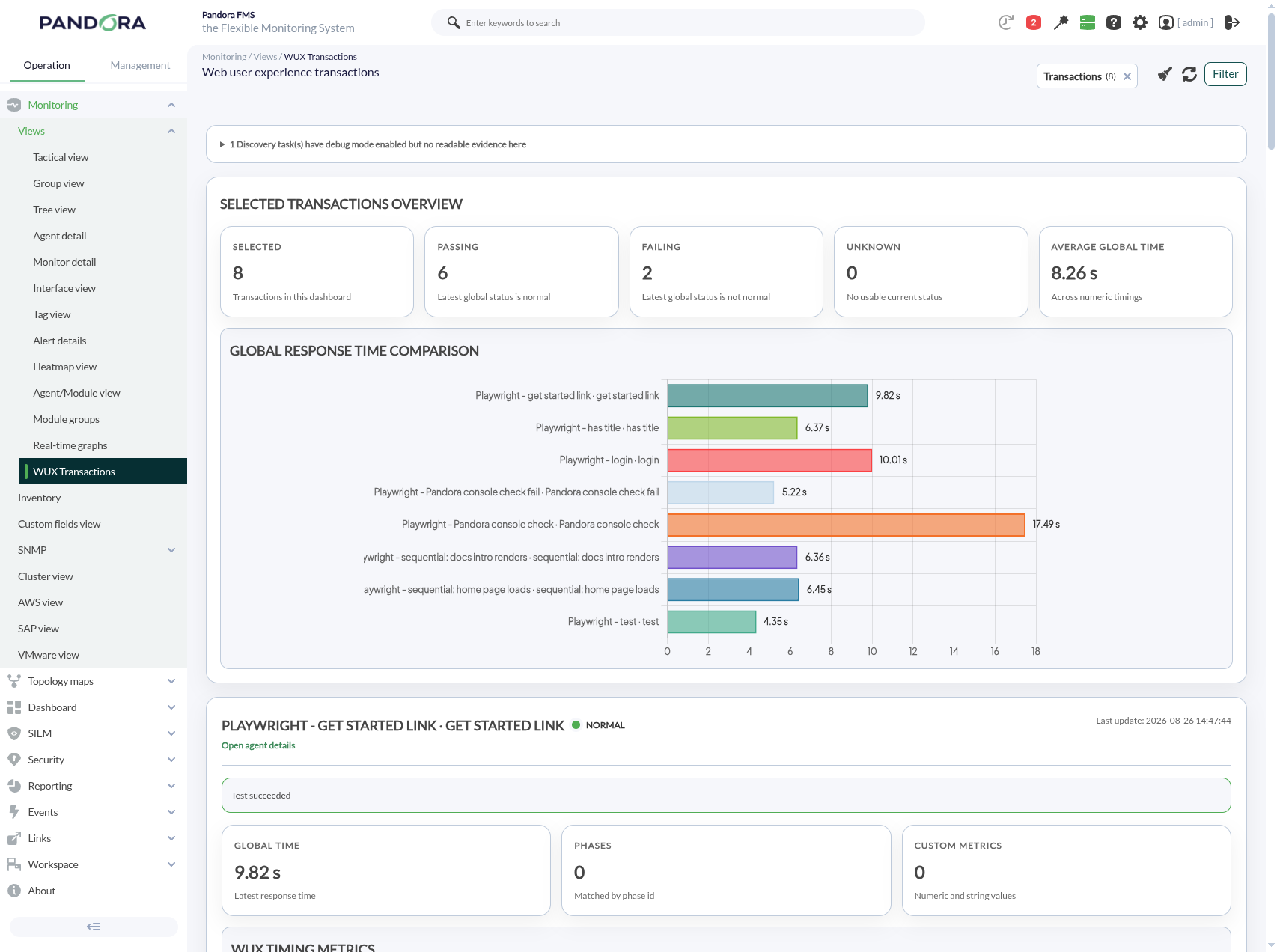
On each execution the plugin reads the native Playwright result and builds one agent per test, with modules for the overall status and time, one status and time pair per declared step, the error text and a screenshot of the failing page. Any custom metric emitted from inside the test becomes a regular module next to the timing data, and a verbose run report can be attached when deeper detail is needed. The resulting transactions are reviewed together in the console WUX Transactions view, which compares selected transactions and exposes the failure evidence of each one.
What it allows you to do:
- Turn a standard Playwright test into a monitored transaction, with no proprietary library to import and no domain specific language to learn.
- Run the same transaction against Chromium, Firefox or WebKit with a configurable viewport size.
- Execute on the Discovery server itself or on a remote host reached over SSH, so the transaction runs from the intended network location.
- Publish overall and per phase status and response time in the console WUX transactional view, together with any custom metric emitted by the test.
- Collect failure evidence automatically, including the screenshot of the failing page, an optional error history series and an optional verbose run report.
What it monitors:
- Overall transaction status and end to end response time.
- Status and response time of every declared phase of the transaction.
- Error text of the transaction and of each phase, kept as a historic series when enabled.
- Screenshot of the page at the moment of the last failure.
- Custom metrics emitted from inside the test.
- Verbose execution report of the run, when enabled.
How it works:
- Create a Discovery task of the Playwright application and choose the browser and whether execution is local or on a remote SSH host.
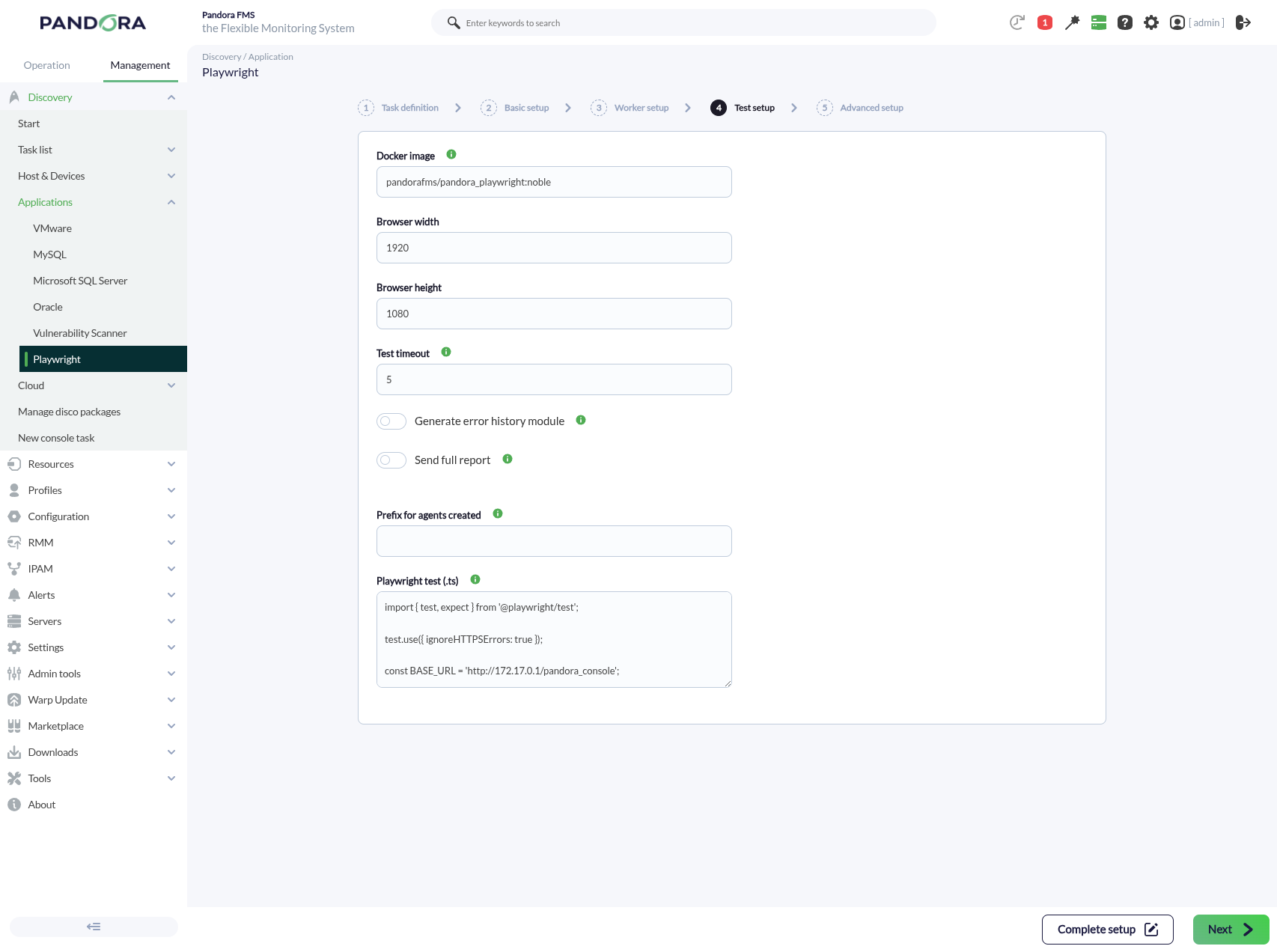
- Paste the Playwright test into the task and set the viewport, the test timeout and, if needed, the agent prefix and the per step timeouts.
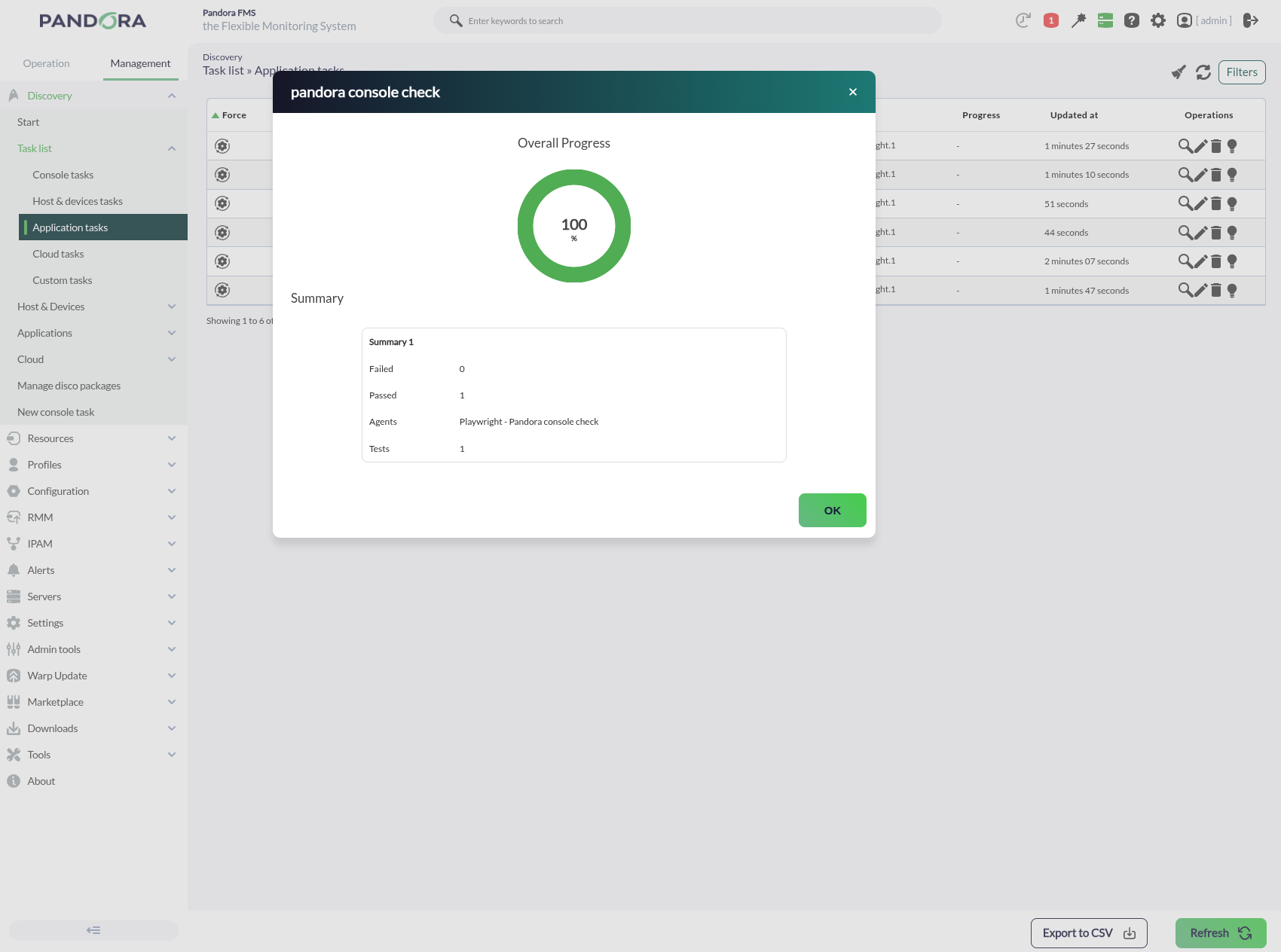
- On every task execution the plugin runs the test inside the container image and reads the native Playwright result.
- One agent is created per test, holding its phase, metric and evidence modules, and the transaction becomes available in the console WUX Transactions view.
Benefits:
- Reuses the Playwright skills, tests and recording tools an organization already has, instead of maintaining a separate monitoring only scripting stack.
- Gives consistent phase level visibility of the same user journey on every execution, so a degradation is attributed to a concrete step instead of the transaction as a whole.
- Consolidates the failure evidence in the console, which shortens the path between a failed transaction and the reason it failed.
- Simplifies onboarding of new transactions, because the agents and modules are generated from the structure of the test itself.
Use cases:
- Continuous checking of a critical customer journey such as sign in or checkout on a public site.
- Response time tracking of an internal web application phase by phase, to identify which step degrades.
- Monitoring of the same transaction against several environments, giving each task its own agent prefix to keep the histories separate.
- Regular validation of a web portal after platform or configuration changes, using the failure screenshot as the first piece of evidence.
Requirements:
- Docker available on the machine that runs the test: the Discovery server for local execution, or the SSH target host for remote execution.
- The container image pandorafms/pandora_playwright:noble available on that machine, or an equivalent image built to the same contract.
- A Pandora FMS installation with the Discovery server enabled and the console available to define the task.
- Remote execution only: an SSH account on the target host able to run Docker, with its address, port, user and password.
Compatibility:
- Pandora FMS server and console 800.5 LTS and 804 FR.
- Playwright runtime 1.62.0 on Node 24.
- Browsers Chromium, Firefox and WebKit.
- Any system able to run Docker as the local worker, or able to reach over SSH a host that can run Docker.
- A full per version Pandora FMS server compatibility matrix beyond the versions listed above is not established.
Limitations:
- Execution always requires Docker; there is no container free execution mode.
- Each run is bounded by a container lifetime derived from the test timeout, and a run that exceeds it ends without producing a result.
- The tests contained in one file run sequentially by default, so the total duration is the sum of all of them unless parallel execution is declared inside the test.
- Two tasks running a test with the same title report to the same agent unless each task is given its own agent prefix.
- Targets using self signed or internally issued certificates require the test itself to accept them, since there is no plugin level option for it.
Tags
Categories
×
![]()
Newest related to this entry
Newest from same author
Newest in same categories
Newest with same tags
