




WUX Transactions Extension (Playwright, Selenium)
1.0
 Extension » wux.extension
Last update: 2026-09-16 08:38:09

Description
A console extension that shows the web user experience transactions (WUX) monitored by Discovery plugins such as Playwright or Selenium 4. Select one or more transactions and review their latest global status and response time, compare several transactions, inspect each phase, and open the custom metrics and navigation timings. For transactions run with Playwright debug mode, the extension also surfaces the failure video, screenshot, error context and full report directly in the console.
Images
Additional information
WUX Transactions is a console extension that gives a consolidated view of the web user experience transactions (WUX) collected by Discovery plugins such as Playwright or Selenium 4. It is installed in the Pandora FMS console and reached from Monitoring, Views, WUX Transactions.
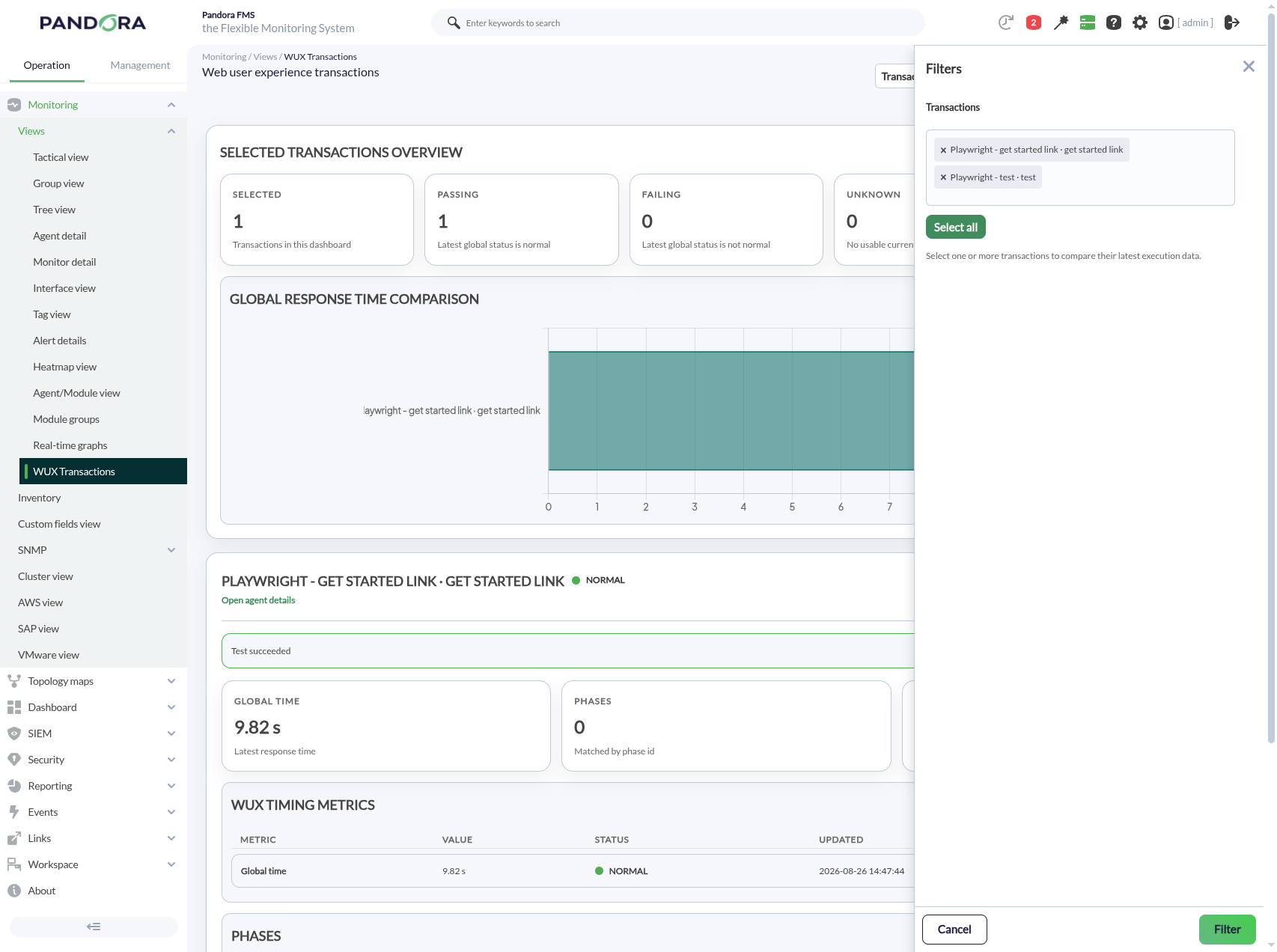
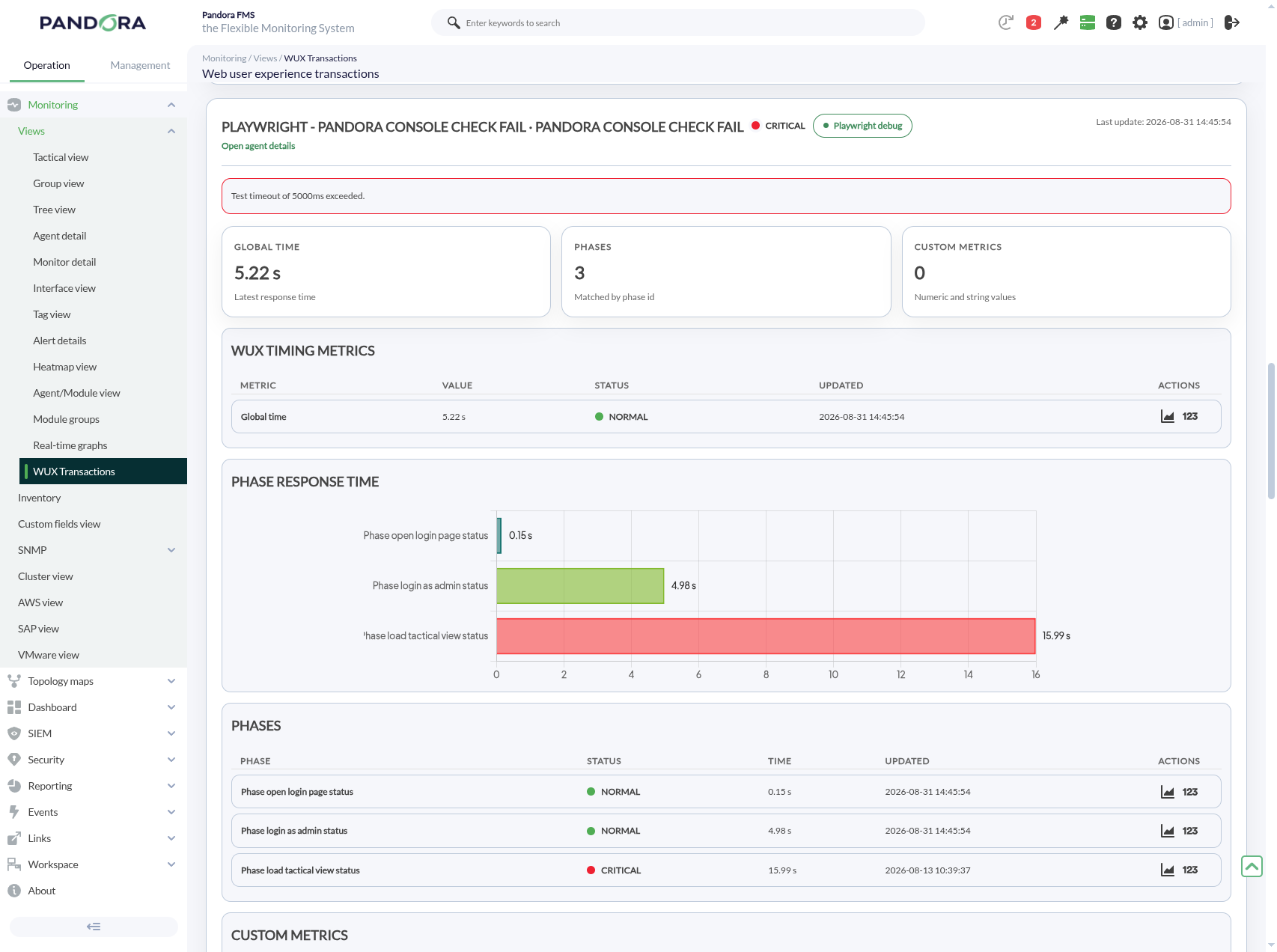
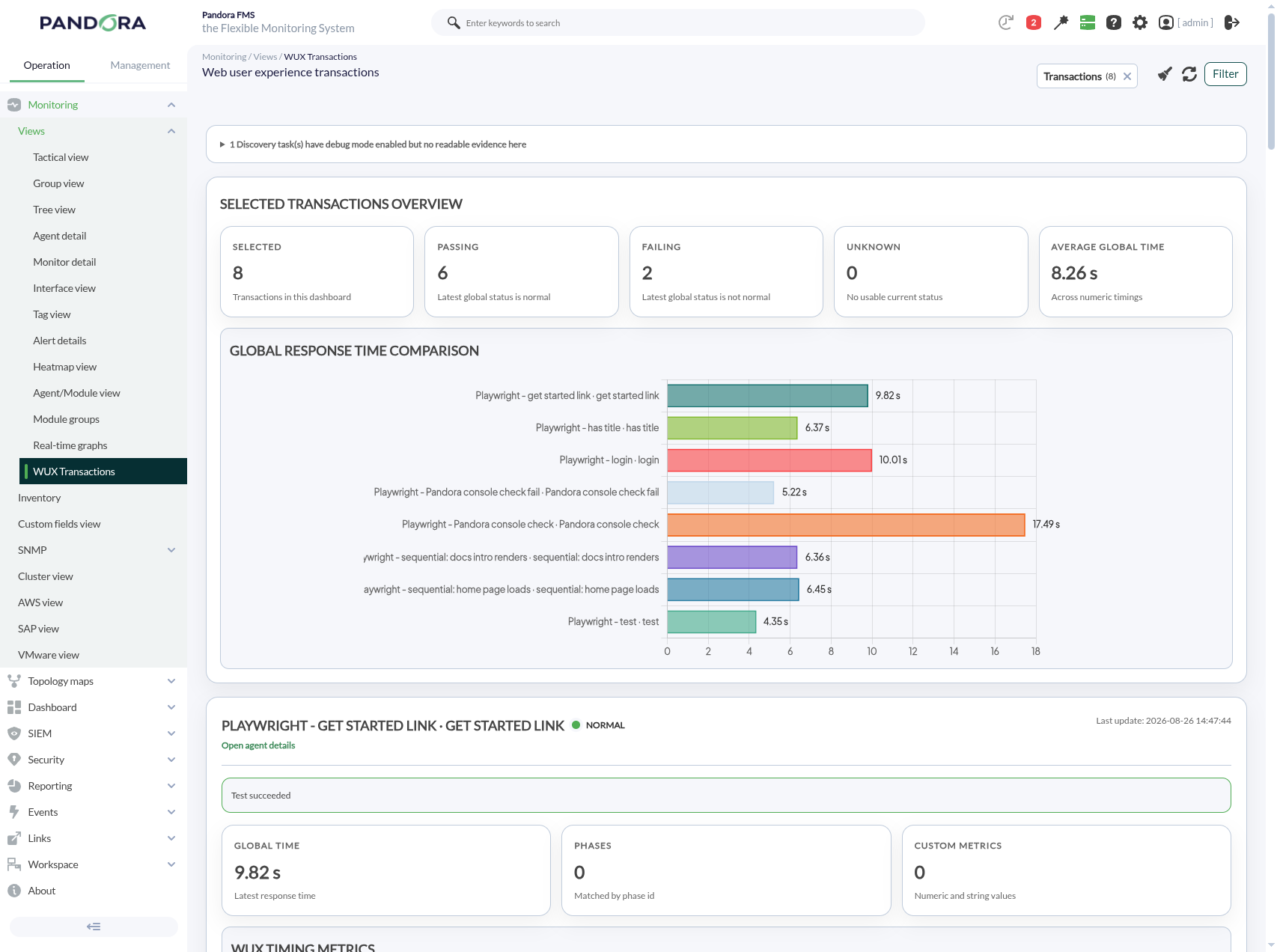
From a multi-select filter you choose one or more transactions. The extension shows an overview with the number of selected transactions, how many are passing, failing or with no usable status, and the average global response time. A bar chart compares the latest global response time of every selected transaction, so you can spot which one degraded. For each transaction, a per-phase chart and table break down how much time each `test.step(...)` contributed, alongside the global timing and navigation metrics collected for that run.
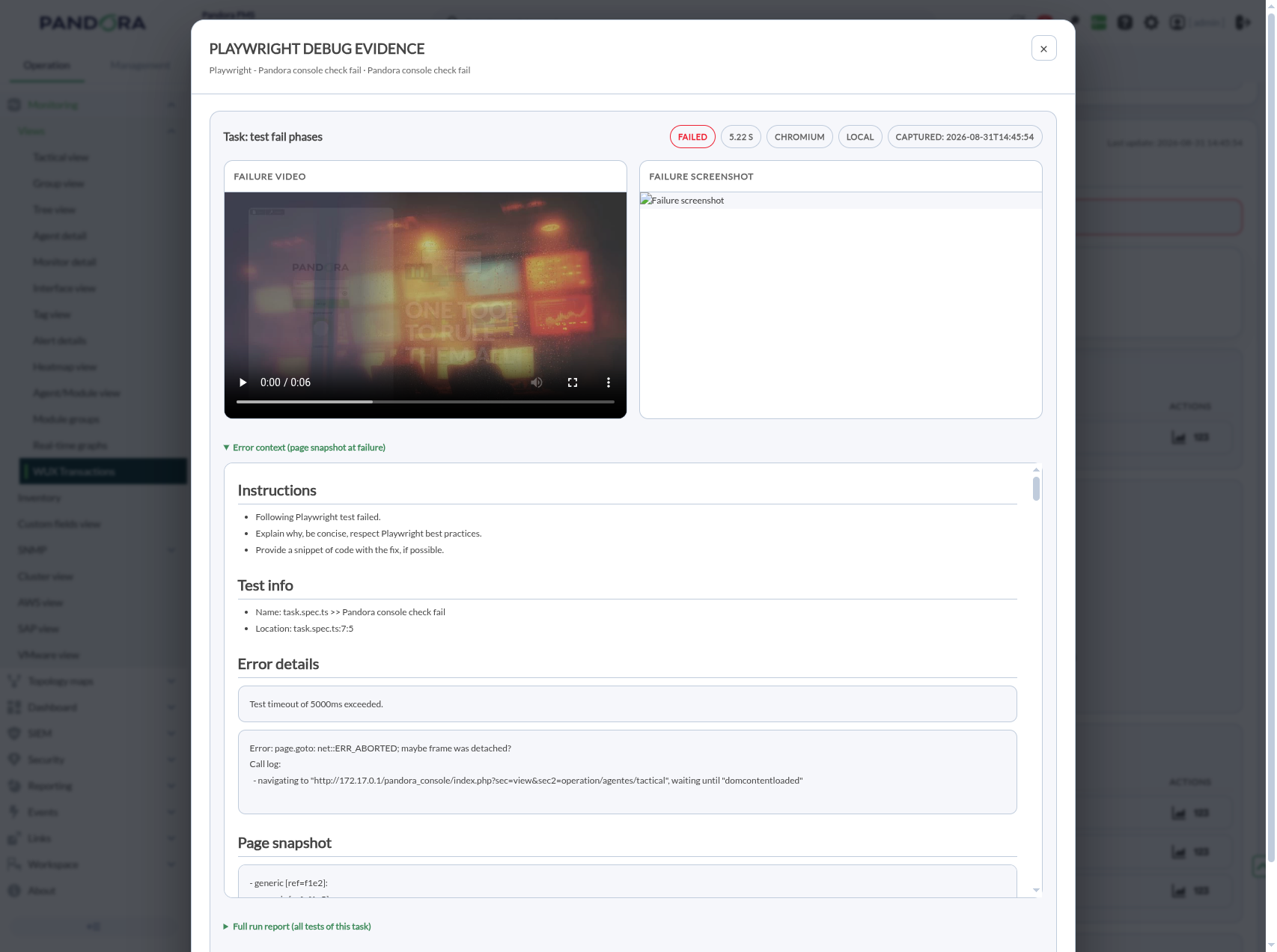
The extension also renders the custom metrics that the test itself emitted, and, when the transaction failed, the last error screenshot and the full WUX report. For transactions produced by a Discovery task running Playwright with debug mode enabled, a Playwright debug button opens a viewer with the failure video, the failure screenshot, the error context, the full run report and the Playwright API transaction log. When several Discovery tasks feed the same transaction, the extension flags it so you can set a distinct agent prefix per task. It also lists the debug-enabled tasks whose evidence could not be read, with the reason, instead of hiding them.
The extension applies group ACL before a transaction reaches the filter and follows each task's own debug directory, so there is nothing to configure beyond the task itself. It works in both light and dark console themes.
What it allows you to do
- Select one or more WUX transactions and review their latest global status and response time in a single view.
- Compare the global response time of several selected transactions in one chart.
- Inspect each transaction's phases, navigation timings and custom metrics.
- See the last error screenshot and full report of a failed transaction.
- Open the Playwright debug evidence (video, screenshot, error context, report) for transactions run with debug mode.
- Detect transactions fed by more than one Discovery task, so runs are not silently overwritten.
How it works
Install the extension in the Pandora FMS console and open Monitoring, Views, WUX Transactions. Use the filter to select the transactions you want to see. The extension reads the modules that the Discovery plugin generated for each transaction and the debug evidence left by Playwright debug-enabled tasks. The evidence follows each task's configured debug directory, so the extension needs no separate configuration. Group ACL is applied before a transaction appears in the filter.
Requirements
- A Pandora FMS console where the extension can be installed.
- To view Playwright debug evidence, the console must be able to reach the Discovery server's filesystem where the debug directory lives (share `data_in` over NFS or sync it when console and server are on different hosts).
Compatibility
- Works in light and dark console themes.
- Reads the transaction modules produced by WUX Discovery plugins such as Playwright (`pandorafms.playwright.1`) and Selenium 4.
- The Playwright debug evidence requires a Discovery task running Playwright with debug mode enabled.
Limitations
- The extension is a console view: it does not create or configure the transactions themselves, which are produced by the corresponding Discovery plugins.
- Playwright debug evidence lives on the Discovery server; when the console and server are on separate hosts, their filesystems must be shared or synced for the evidence to appear.
Tags
Categories
×
![]()
From this entry
Newest from same author
Newest in same categories
Newest with same tags
